
Your battery, from anywhere: the JK BMS Remote companion app.
Sign in, and every gateway you have claimed is in your pocket.
The Android app for the ESP32 gateways you already run. Check live telemetry, cloud history and charts, and get push safety alerts when a pack crosses a threshold you set.
The companion app for your gateway
JK BMS Remote is the Android companion to the ESP32 gateway you flash and claim. The gateway reads your JK-BMS over Bluetooth and relays it to the cloud; this app is where you watch it from anywhere: live values now, and the history behind them.
It uses the same JK BMS Remote account and the same data as the web dashboard, so a gateway you claimed on the website appears here as soon as you sign in. Alerts you configure on a gateway are pushed to this app automatically.
It is a viewer, not a controller. The gateway firmware only listens to the telemetry your BMS already broadcasts; neither the app nor the gateway can change your charge, discharge or protection settings.
Built to watch a pack you are not standing next to
The monitoring features of the web dashboard, carried in your pocket.
Every gateway, one account
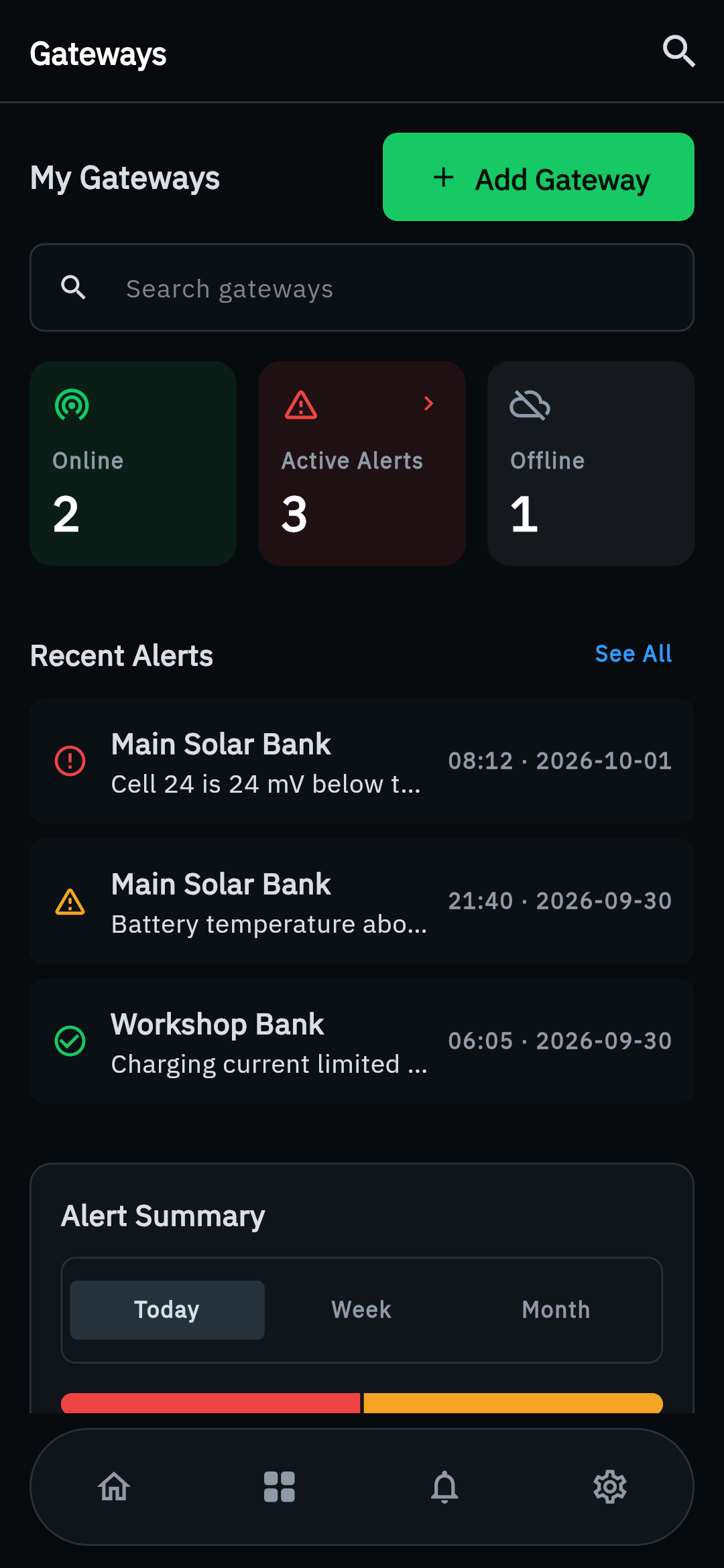
All the gateways you have claimed, each with its own status and its own alert thresholds.
Live telemetry and cell voltages
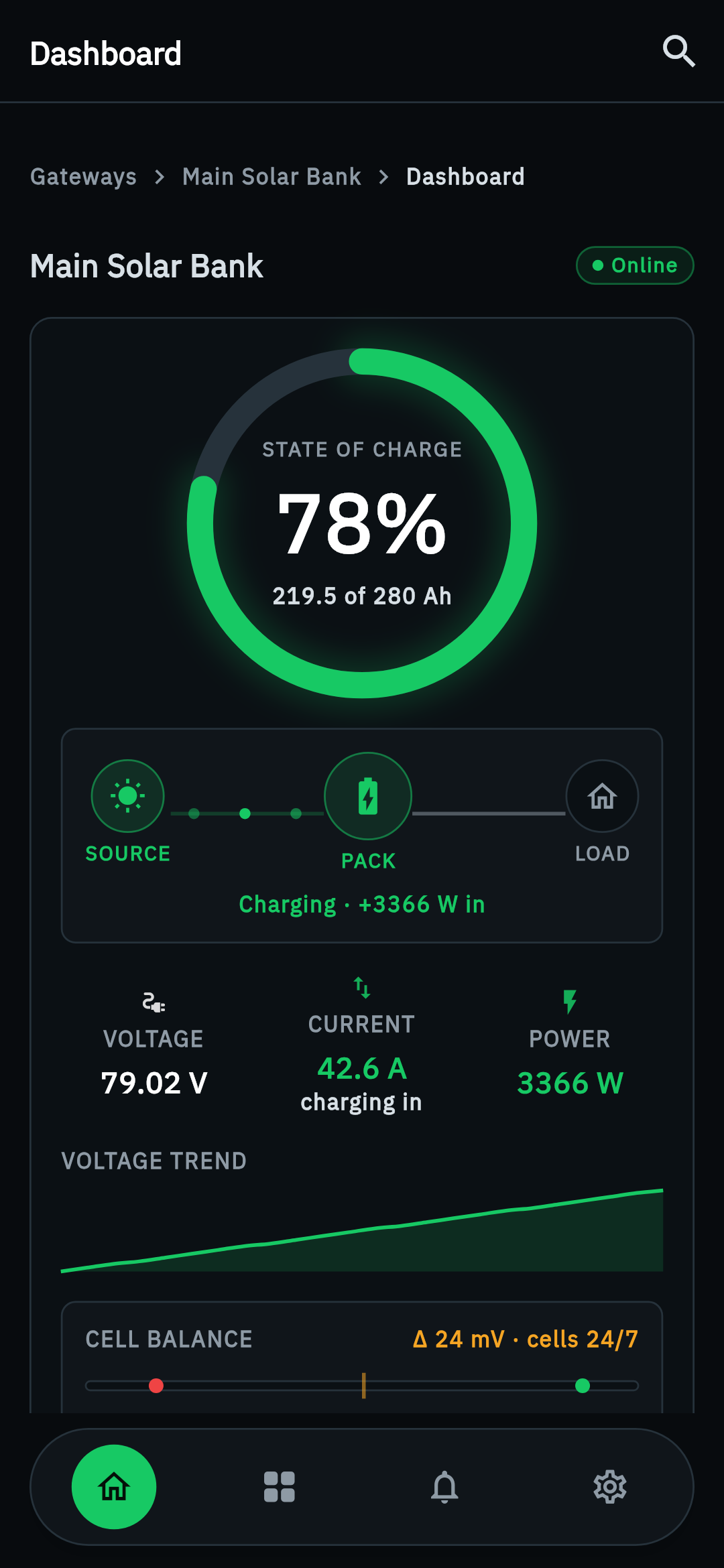
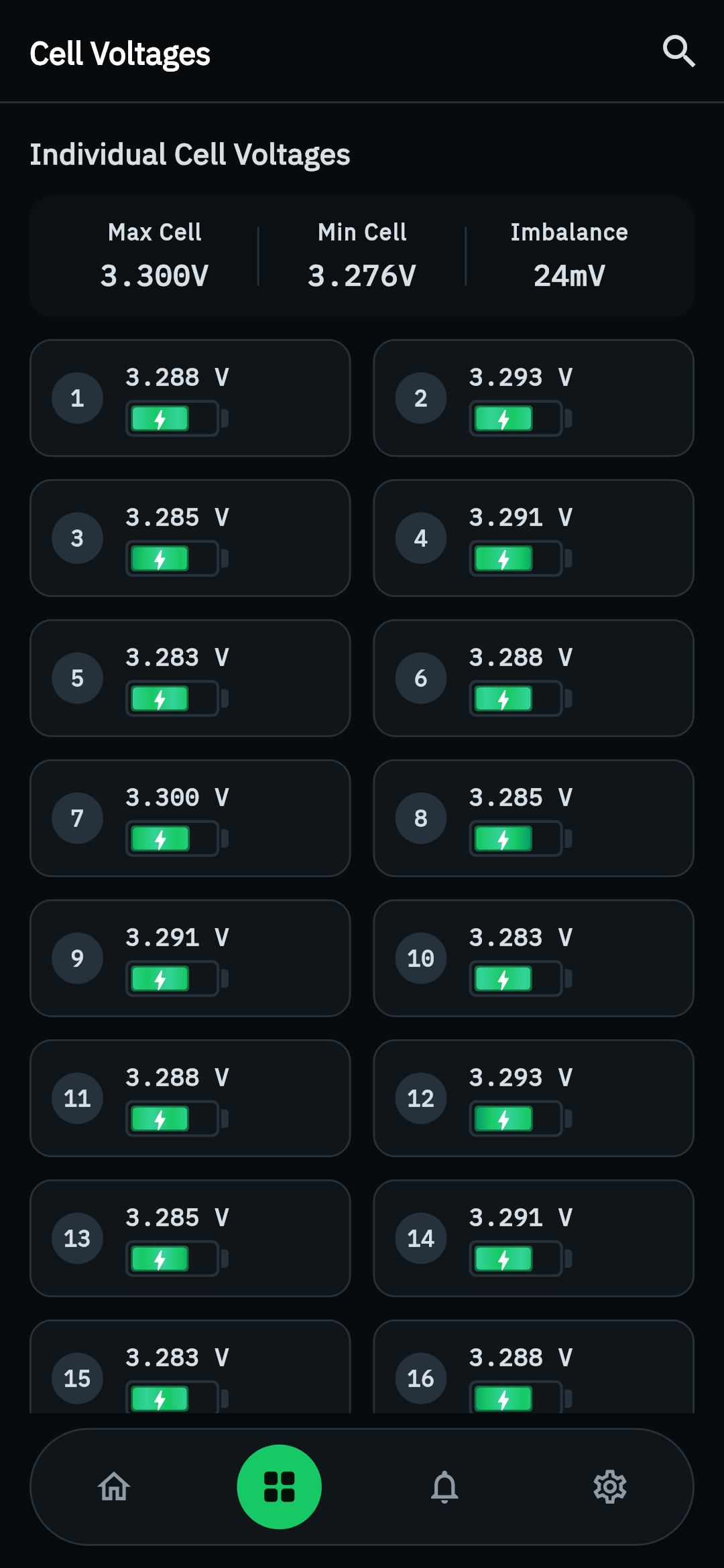
State of charge, voltage, current and power, plus individual cell voltages shown as animated battery-shape gauges.
Cloud history and charts
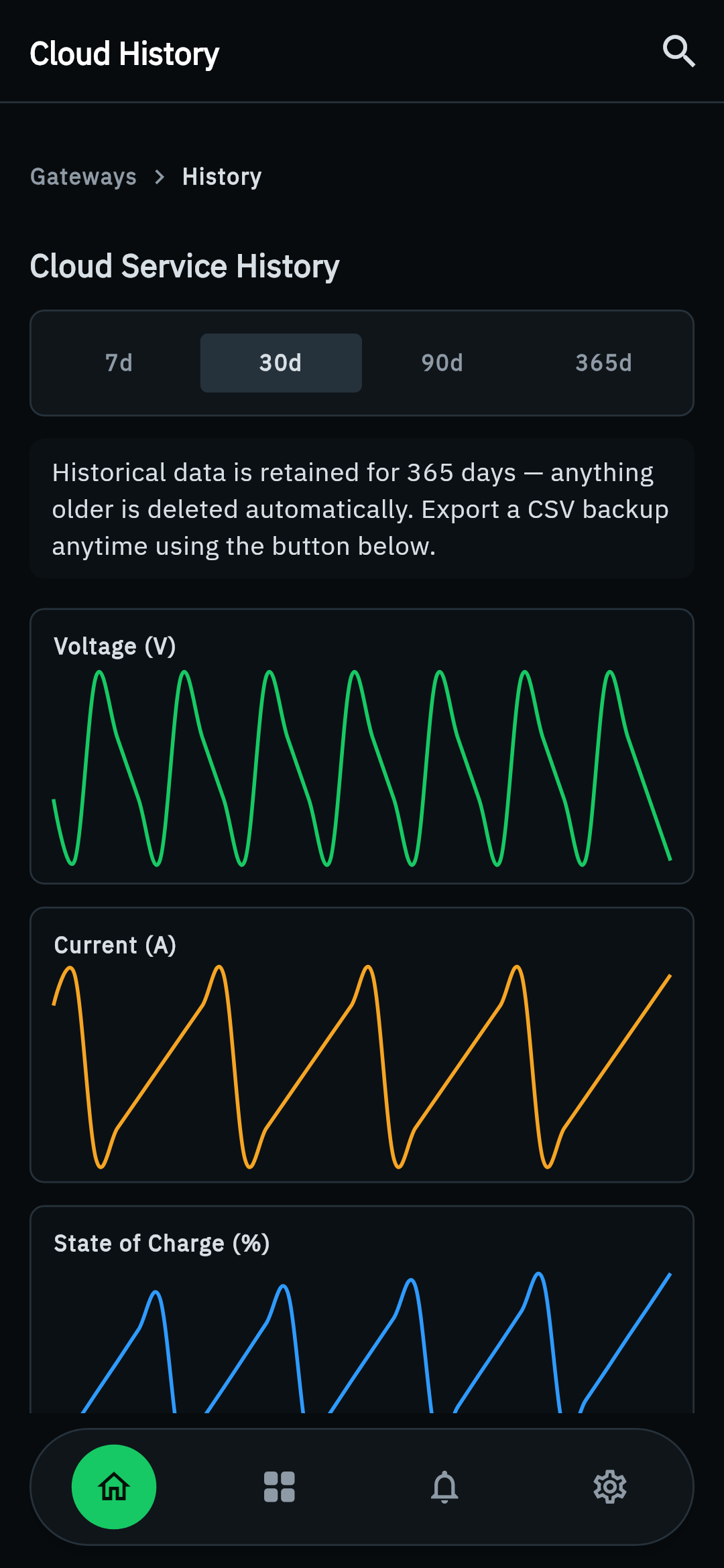
Look back at how a pack has behaved: raw readings kept for 7 days and hourly averages for 180 days.
Push safety alerts
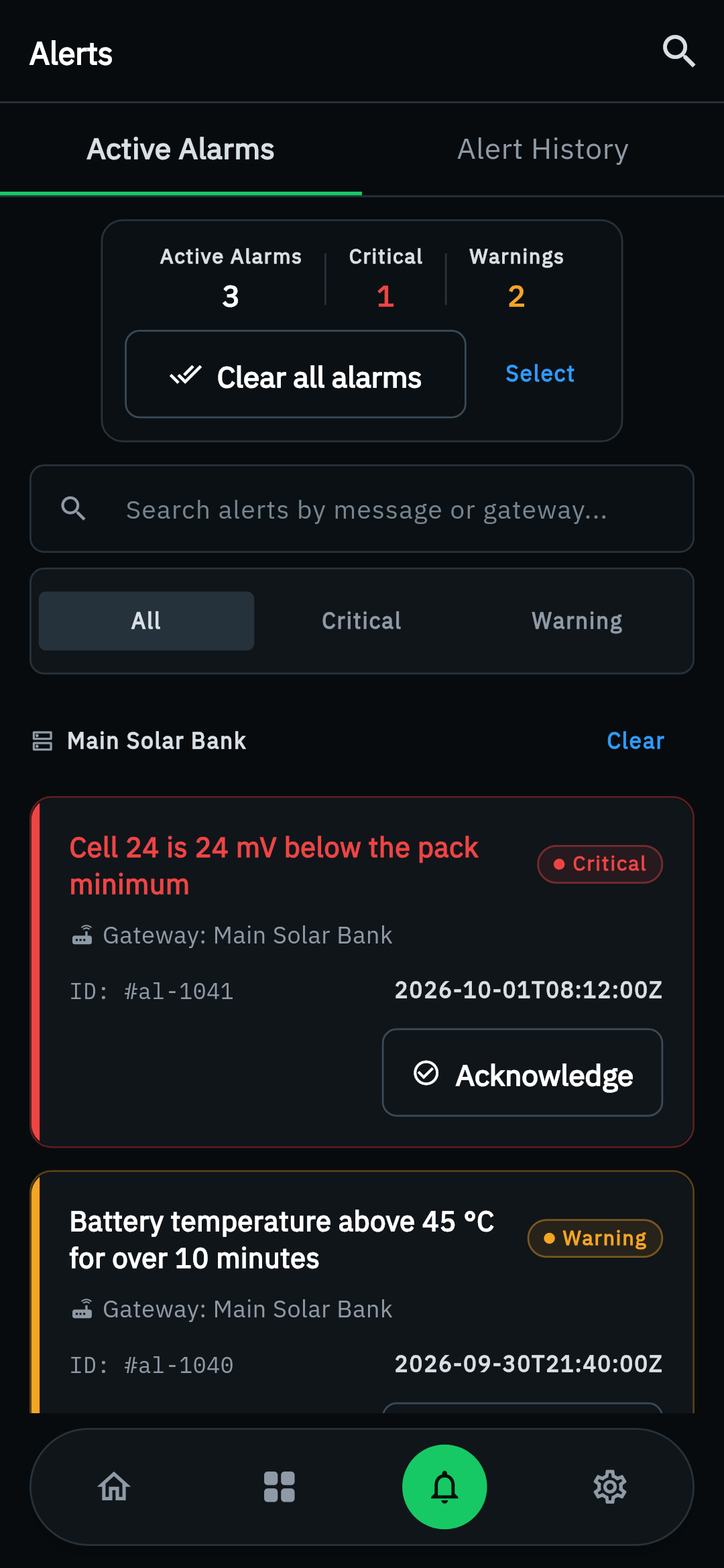
When a gateway's cell voltage, temperature or current crosses a threshold you set, the alert is pushed to your phone.
QR gateway claiming
Scan the QR code shown after onboarding to claim a newly flashed gateway without typing its ID.
Firmware and OTA status
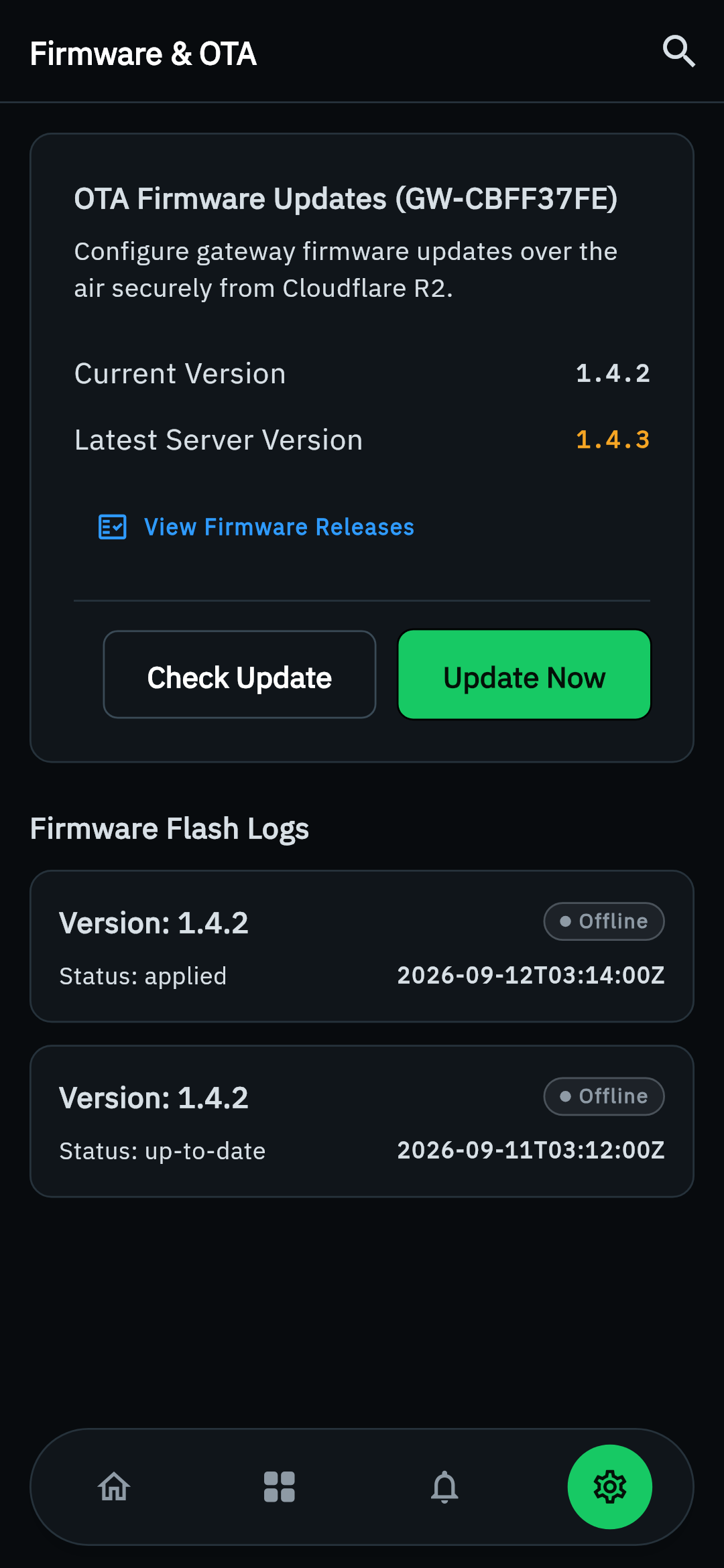
See each gateway's firmware release history and its queued over-the-air updates from the app.
The app, on a real gateway
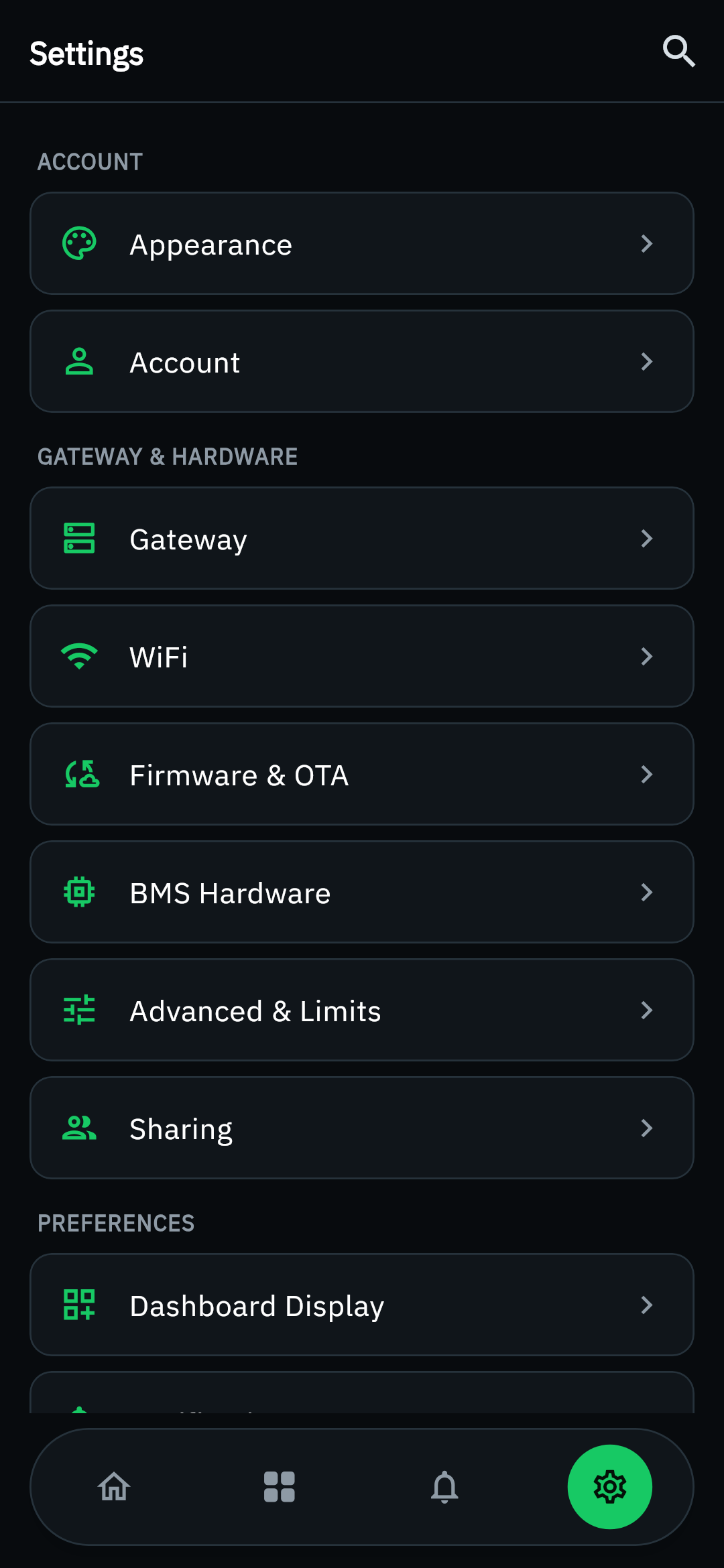
Android captures from the JK BMS Remote app: gateway list, live dashboard, cell voltages, alerts, history, firmware, and settings (scroll sideways).
From gateway to pocket
The app is the last step; the gateway does the reading.
1. Flash a gateway
Flash an ESP32 board from your browser, connect it to Wi-Fi and claim it to your account.
2. Claim it in the app
Scan the gateway's QR code (or enter its ID and claim code) straight from the app.
3. Set your alerts
Choose the cell-voltage, temperature or current thresholds a gateway should warn you about.
4. Monitor from anywhere
Open the app for live values, history and charts, and get pushed the moment an alert fires.
Which app do I need?
The three apps do different jobs. Most people need at most two of them.
The Bluetooth app works alone, straight from phone to battery. The Remote app needs a gateway you have already flashed. The Contributor app is a small, opt-in way to give back.
| Feature | JK BMS Bluetooth | JK BMS Remote | JK BMS Contributor |
|---|---|---|---|
| What it's for | Local Bluetooth monitoring | Remote monitoring via a gateway | Anonymous data donation |
| Connects to the battery | Directly over Bluetooth | Through an ESP32 gateway | Directly over Bluetooth |
| Needs a gateway | No | Yes | No |
| Needs a cloud account | No | Yes | No |
| Works offline | Yes | No | Yes (capture and export) |
| Controls the BMS | Yes, PIN-gated | No (read-only) | No (read-only) |
| Push alerts | No | Yes | No |
| Platform | Android 6.0+ | Android 8.0+ | Android 7.0+ |
| Google Play | Available | Available | Available |
What the app does not need you to run
The gateway talks to the cloud on its own, so there is nothing to host.
Check your pack from anywhere
Install the JK BMS Remote app and sign in to the account your gateways already report to.